Alternative / decision guide · By CoinNudge Research · · Guide updated 2026-09-12 · 9 min read
TradingView alerts vs CoinNudge: which crypto alert workflow fits?
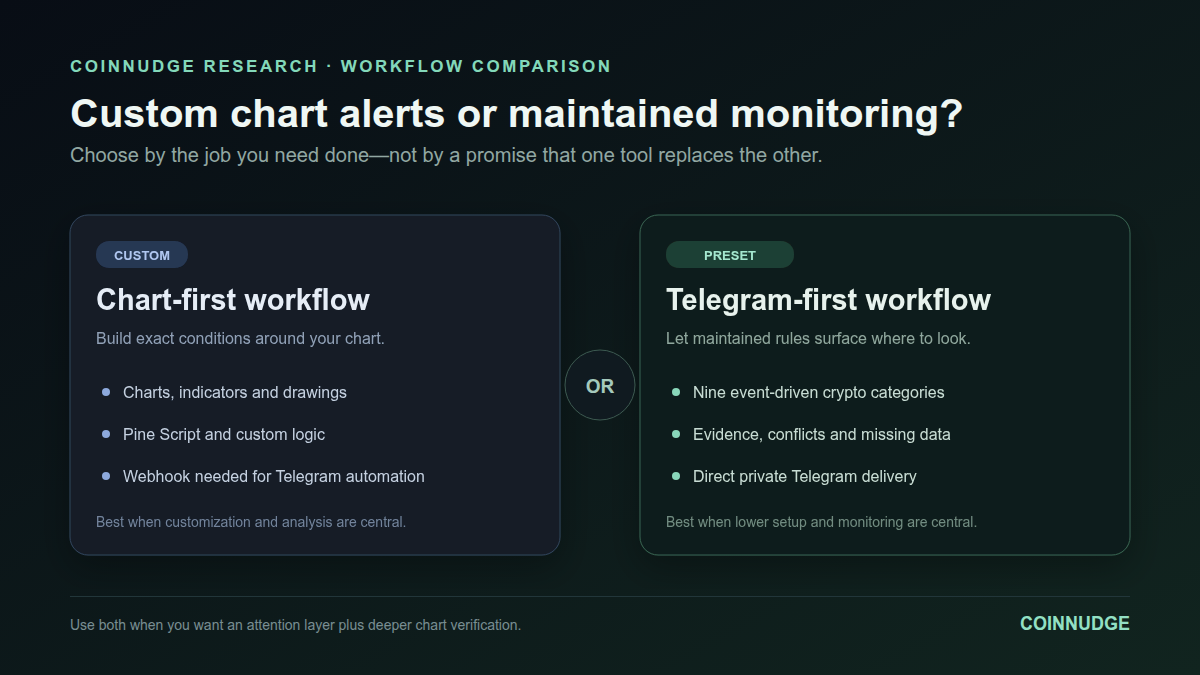
CoinNudge is not a replacement for TradingView's charts, Pine Script or backtesting. It is an alternative for crypto users who want maintained, preconfigured alerts delivered directly to a private Telegram chat. As fact-checked on September 7, 2026, TradingView offers flexible alerts on indicators, strategies, drawings and chart patterns, while CoinNudge offers nine managed crypto alert categories for $8.99 per 30 days with no automatic renewal. Choose TradingView for custom chart logic; choose CoinNudge for lower-setup, crypto-only monitoring; use both when you want CoinNudge to surface an event and TradingView to investigate it. Regional TradingView prices and plan limits can change.
Preview alert list · Explore research data · See alert plans
Quick decision
- Choose CoinNudge
- You want maintained crypto rules, direct private Telegram delivery and no exchange trading keys.
- Choose TradingView
- You want charts, Pine Script, drawing alerts, custom conditions, backtesting or multiple asset classes.
- Use both
- You want a low-attention discovery layer plus a deeper chart-verification workflow.
Key points
- Choose TradingView when charting, arbitrary indicators, Pine Script, strategies or drawing-based alerts are central to your workflow
- Choose CoinNudge when you want a crypto-only, preconfigured alert checklist with direct private Telegram delivery and multi-source market context
- TradingView officially supports app, browser, email, webhook, sound and text notifications; a webhook can connect external bots or scripts
- The products can be complementary: CoinNudge can surface an event and TradingView can be used for deeper chart verification
How do CoinNudge and TradingView differ?
The main difference is the job each product is designed to do. TradingView is a broad charting and market-analysis platform with configurable alerts. CoinNudge is a narrower crypto monitoring service that maintains the rules and explains qualifying events in Telegram.
| Decision factor | CoinNudge | TradingView |
|---|---|---|
| Primary job | Preconfigured crypto event monitoring and private Telegram delivery | Multi-market charting, analysis and configurable alerts |
| Rule setup | Platform-managed checklist; users choose plan, language, timezone and personal coins | Users select symbols, timeframes, conditions, indicators, drawings, strategies or Pine scripts |
| Technical coverage | RSI, MACD, EMA and Bollinger triggers with ADX/DMI, ATR, volume, VWAP and 1h/4h context | Broad built-in and community indicator ecosystem plus custom Pine Script |
| Beyond technicals | Spot movement, unusual volume, executed order flow, funding, OI, liquidation, sentiment, sector and listing context | Broad market data and screeners; exact configuration depends on the user's chart and plan |
| Telegram | Direct delivery to the user's private CoinNudge bot chat | Telegram is not listed as a native destination in the official alert guide; webhooks can call external bots or scripts |
| Charts and backtesting | Focused market radar; not a full charting or backtesting workstation | Advanced charts, Pine Script, strategies, replay and plan-dependent backtesting features |
| Customization | Deliberately limited; no arbitrary thresholds or custom scripts | High; suited to users who want exact custom logic |
| Trade execution | None; no exchange trading keys | Can connect selected brokers, but alert and trading availability depend on market and integration |
| Pricing model | $8.99 for 30 days, paid once in USDT; no automatic renewal | Free Basic plus regional paid subscription tiers; limits and local prices vary |
| Best fit | Time-poor crypto users who value presets, explanations and Telegram | Users who value charts, custom workflows and multiple asset classes |
Verify: TradingView pricing · TradingView alert documentation · CoinNudge alert list · CoinNudge pricing
How does the same RSI-alert-to-Telegram task differ?
This is a documented workflow comparison fact-checked on September 7, 2026. CoinNudge was checked against its production account and Telegram connection flow. TradingView steps and plan limits were checked against official public documentation, not an independently operated paid TradingView account. Availability, interface details and regional plan terms can change.
| Task detail | CoinNudge production flow | TradingView documented flow |
|---|---|---|
| Initial setup | Create an account, connect the private CoinNudge bot, select language/timezone and optionally personal coins | Open a chart, add or select RSI, create an alert, define condition/frequency and choose an available delivery action |
| Script or webhook needed for Telegram | No; private Telegram delivery is built into CoinNudge | Yes for Telegram automation; official alert actions include webhook, which must call an external bot or service |
| Rule customization | Low: CoinNudge maintains RSI(14), thresholds and quality policy | High: users can configure conditions and use supported indicators or Pine Script |
| Final delivery location | Private chat with CoinNudge Alerts Bot | Native app/browser/email/text actions, or an external Telegram workflow built from the webhook |
| Price/account context checked | $8.99 one-time Pro access for 30 days; no auto-renewal | Official public documentation and pricing page; exact regional price and plan limits must be checked by the user |
Verify: TradingView alert documentation · TradingView pricing · CoinNudge alert list
What does CoinNudge not replace?
CoinNudge is an alternative alert workflow, not a full charting-platform substitute. The boundary below is deliberate and prevents the comparison title from promising capabilities the product does not have.
| Capability | CoinNudge | TradingView |
|---|---|---|
| Advanced interactive charts | No | Yes |
| Pine Script | No | Yes |
| Drawing-based alerts | No | Yes |
| Strategy backtesting | No | Yes |
| Non-crypto markets | No | Yes, subject to market and plan availability |
Verify: TradingView technical alerts
When should you choose TradingView?
TradingView is the stronger choice when your workflow starts with a chart. Its official documentation supports alerts on data series, indicators, strategies, drawing tools and chart patterns. Advanced users can define custom behavior with Pine Script.
It also offers a much broader market and tool universe than CoinNudge. If you need custom parameters, lines drawn on charts, strategy testing, community indicators, non-crypto assets or broker-linked chart trading, CoinNudge is not a substitute.
- You want to create and maintain your own conditions.
- You need full chart layouts, drawing tools or replay.
- You monitor equities, forex, futures or other non-crypto markets.
- You want Pine Script or strategy-based alerts.
- You are comfortable connecting a webhook or another integration when Telegram delivery is required.
Verify: TradingView technical-alert documentation · TradingView pricing
When does CoinNudge fit better?
CoinNudge fits a narrower but common job: notice important crypto-market changes without maintaining a chart workspace all day. The user does not choose raw thresholds. CoinNudge maintains the rule set, applies closed-candle and data-quality checks, and sends qualifying context to Telegram.
It also combines observations that usually live on separate screens. A technical event can include spot participation and higher-timeframe context; leverage alerts combine price, Hyperliquid funding and open interest with OKX liquidation or Binance executed-order-flow evidence when available. Venue-specific data remains labeled instead of being called a whole-market measurement.
- You want alerts in a private Telegram chat without keeping a browser open.
- You prefer a maintained checklist to writing scripts and duplicating rules.
- You want each message to state what changed, why it matters, what conflicts and what still needs confirmation.
- You do not want to provide exchange trading keys or enable automatic execution.
- You primarily monitor crypto rather than many asset classes.
Verify: CoinNudge alert list · CoinNudge methodology
What do TradingView's official alert limits and delivery options show?
TradingView's official pricing page checked on September 7, 2026 listed three active price alerts on Basic. It listed 20, 100, 400 and 1,000 active technical alerts across Essential, Plus, Premium and Ultimate respectively. Watchlist alerts appeared only on higher tiers in that comparison. Prices were localized by region, so this article does not copy a single currency price as if it applied worldwide.
TradingView's official alert guide lists app notification, browser toast, email, webhook, sound and plain text as delivery choices. It says a webhook sends a POST request that can trigger external bots or scripts. CoinNudge's Telegram connection is native to its service: connect the bot once and eligible plan alerts go to the private chat.
Verify: TradingView pricing · TradingView alert documentation
Can CoinNudge and TradingView be used together?
Yes. For many users this is the most honest answer. CoinNudge can act as the attention layer: it watches its maintained crypto scope and sends an evidence-rich event. TradingView can then act as the analysis layer for custom drawings, alternate timeframes, additional indicators and strategy review.
Using both avoids pretending that a notification service should replace a charting platform. It also avoids forcing a charting platform to become a zero-configuration Telegram briefing product.
When is neither product the right answer?
Neither product should be treated as a guaranteed-profit machine. CoinNudge does not execute trades, and a TradingView alert only reports that the configured condition occurred. Users seeking copy trading, custody, personalized advice or an automatically profitable bot have a different—and materially riskier—requirement.
The CFTC advises consumers to be skeptical of AI or bot promotions that promise unusually large or guaranteed returns and to consider fees, spreads and subscription costs. That risk boundary applies regardless of which alert interface is used.
Verify: CFTC customer advisory
Which crypto alert workflow should you choose?
| Your priority | Better starting point | Reason |
|---|---|---|
| Write custom indicators or strategies | TradingView | Pine Script and configurable technical alerts are core capabilities |
| Draw support, resistance, channels or Fibonacci levels | TradingView | Drawing-based alerts and chart tools are documented features |
| Receive a maintained crypto checklist in Telegram | CoinNudge | Direct private Telegram delivery and preset conditions are the product |
| Combine spot, leverage, liquidation and listing observations | CoinNudge | The message is designed around cross-source crypto context |
| Investigate a CoinNudge event on a deeper chart | Use both | Discovery and chart analysis are complementary jobs |
| Automatically place profitable trades | Neither | An alert is not proof of future performance |
Do I need chart alerts, research data, or both?
Choose by the job you need to complete. Custom chart conditions belong in a charting workflow; recurring CoinNudge monitoring belongs in Telegram; a notebook comparing recorded market events needs structured data.
The data subscription does not execute Pine Script or replace TradingView backtesting. Product plan details should be checked on the current pricing pages.
- Write down whether you need a notification, a custom script, or reproducible rows for analysis.
- Compare setup work and the current supported scope using each product's documentation.
- Inspect the Market Events sample before purchasing data; buying Telegram Pro alone does not create data API access.
Verify: TradingView pricing and plan comparison · TradingView technical alerts · CoinNudge complete alert list · CoinNudge pricing
Take the next step with this evidence.
Reading about tradingview alerts vs coinnudge: which crypto alert workflow fits?? Choose ongoing notifications or a dataset you can inspect in your own research workflow.
Receive qualifying events in Telegram.
Use the ready-made alert checklist, message explanations and daily briefing. Check the supported categories and coins before subscribing; every Research page is not a separate alert category.
Check the alert list · View alert plans
Inspect the data before choosing a plan.
Market Events v1 connects recorded events and comparison rows with context, later outcomes and quality flags. Paid access provides customer API keys and daily JSON, CSV and Parquet files.
Check Market Events sample · Explore the full data catalog · Compare data plans
Researcher and Research Desk currently include Market Events v1 only, for its specified pairs and published history. This page's full dataset is not automatically included. Other data families require coverage, date, field and source-use confirmation before purchase. Telegram Pro and data access are separate subscriptions.
Frequently asked questions
Is CoinNudge a full TradingView replacement?
No. CoinNudge does not replace advanced charting, Pine Script, drawing alerts, strategy testing or broad non-crypto market coverage.
Does TradingView send alerts directly to Telegram?
TradingView's official guide lists app, toast, email, webhook, sound and text notifications. A webhook can trigger an external bot or script; Telegram is not listed there as a native destination.
Which product requires less setup for CoinNudge's supported crypto alerts?
CoinNudge. Its thresholds and context rules are platform-managed. That simplicity also means it cannot reproduce arbitrary custom TradingView conditions.
Can CoinNudge execute a TradingView strategy?
No. CoinNudge does not accept Pine scripts, connect exchange trading keys or execute orders.
Is the comparison sponsored by TradingView?
No. CoinNudge is not affiliated with TradingView and receives no payment from it. TradingView facts are linked to its official public documentation.
Sources and verification
- TradingView pricing and plan comparisonOfficial plan limits; prices may be localized and can change
- TradingView technical alertsOfficial indicator, strategy, drawing, pattern and Pine alert capabilities
- Introduction to TradingView alertsOfficial trigger types, intervals, delivery choices and expiration behavior
- CoinNudge complete alert listCurrent CoinNudge Pro categories, coin coverage and Telegram examples
- CoinNudge pricingCurrent Free and Pro terms
- CFTC advisory on AI and trading-bot claimsConsumer-risk boundary for guaranteed-return claims
Use CoinNudge as your crypto attention layer.
Review the exact service first, then activate 30 days of Pro for $8.99 if direct Telegram delivery fits your workflow.
See plans and pay